The ladder diagram is in the Instructions tab of every lab. The AI tutor (Dakota AI) only appears in Wire labs where your instructor turned it on. It’s always off in exams.
The ladder diagram
-
Open the Instructions tab. Under the job description you’ll see the diagram.
-
If the lab has two drawings, switch between Control ladder and Power wiring.
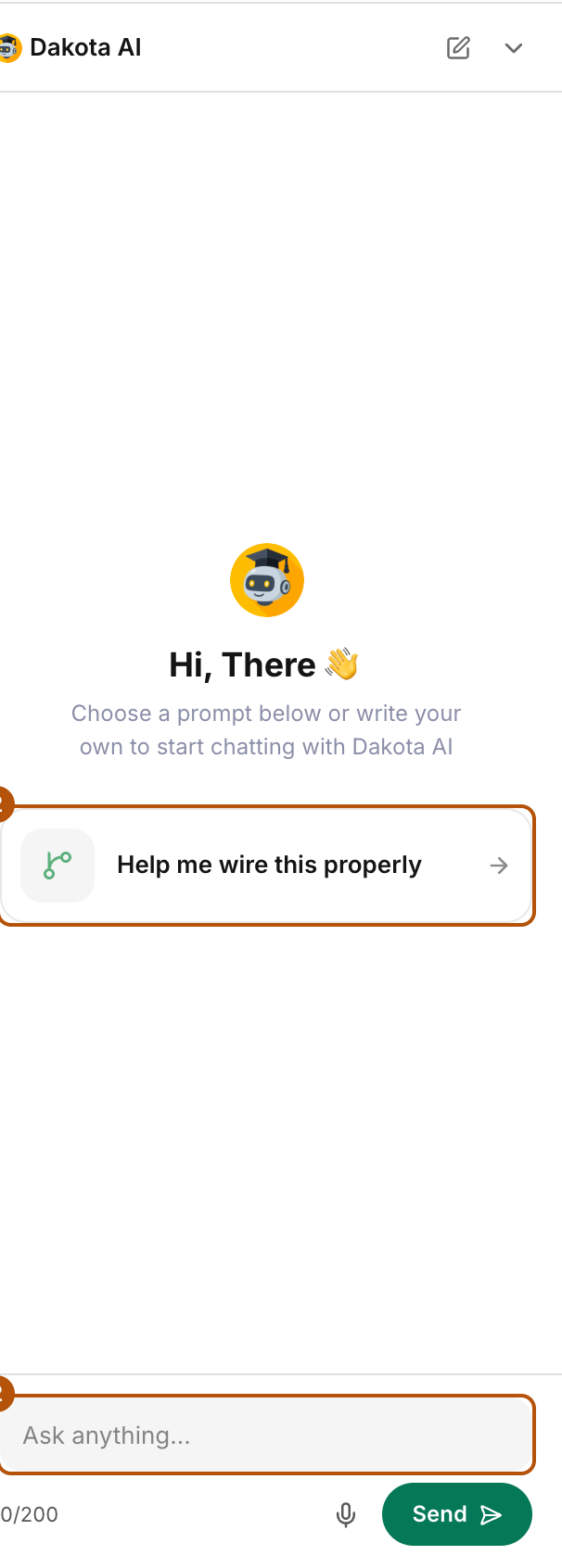
Type your question in Ask anything, or try Help me wire this properly. -
Press the expand button to see it full screen.
-
In Wire labs, lines turn green as your wiring becomes correct. Green means the wiring is confirmed, not that a device has power. Tap a line that isn’t green to see which connection to check.
In Install and Debug labs, and in exams, the diagram is there for reference only and does not light up.
The AI tutor
- Open the Dakota AI panel on the right of the board. When it’s closed, a small Dakota bar sits at the bottom right. Press it to open the panel.
- Type your question in Ask anything…, or press the microphone to talk. Try the suggestion Help me wire this properly for a step-by-step walkthrough.
- When you finish a step, press What’s next? on the Dakota bar. Dakota checks your board and tells you what’s left.
- While the simulation runs, switch between the Controls and AI tabs at the top of the panel.
- To start a fresh chat, press New conversation.
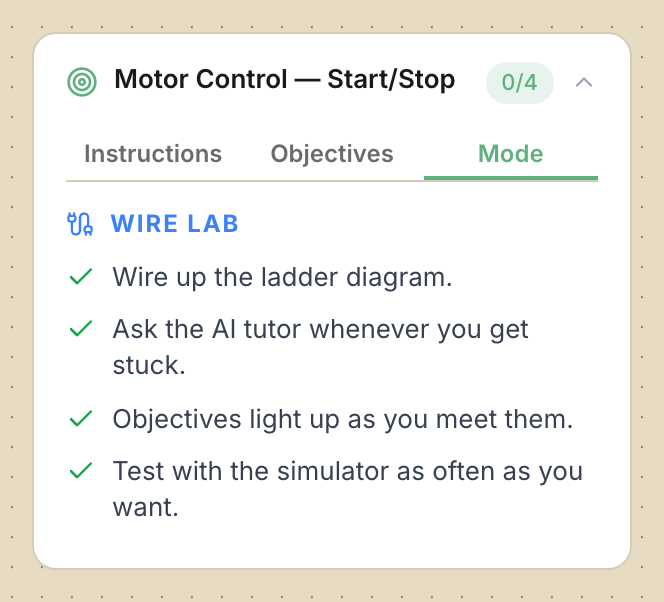
Check: Open the Mode tab. In a lab with the tutor it says “Ask the AI tutor whenever you get stuck.” Without it, it says “No AI tutor.”
Common problems
- I can’t find Dakota AI. The lab is Install or Debug, it’s an exam, or your instructor turned the tutor off.
- Nothing on the diagram goes green. Only Wire labs light up, and never in an exam.
- A line stays grey but my wiring looks right. Check both ends of that connection. If it still looks complete, ask your instructor to look at the diagram.