You can add a Moodle activity that opens one Dakota assignment directly, with its own Moodle points. This is optional: the general Dakota Labs activity already lets students reach every assignment, and grade sync works without it.
Before you start
Connect your Moodle course to a Dakota class first. See How do I connect my Moodle course to a Dakota class?
Steps
-
In your Moodle course, turn Edit mode on, choose +, then Activity or resource, then Dakota Labs.
-
Choose Select content. Keep the Moodle form open.
-
If you see Continue to Dakota, choose Open Dakota. Sign in if asked.
-
On Choose a Dakota assignment, select the assignment and choose Continue. You can choose up to 10. Each becomes its own Moodle activity. To make new work instead, choose Create an assignment.
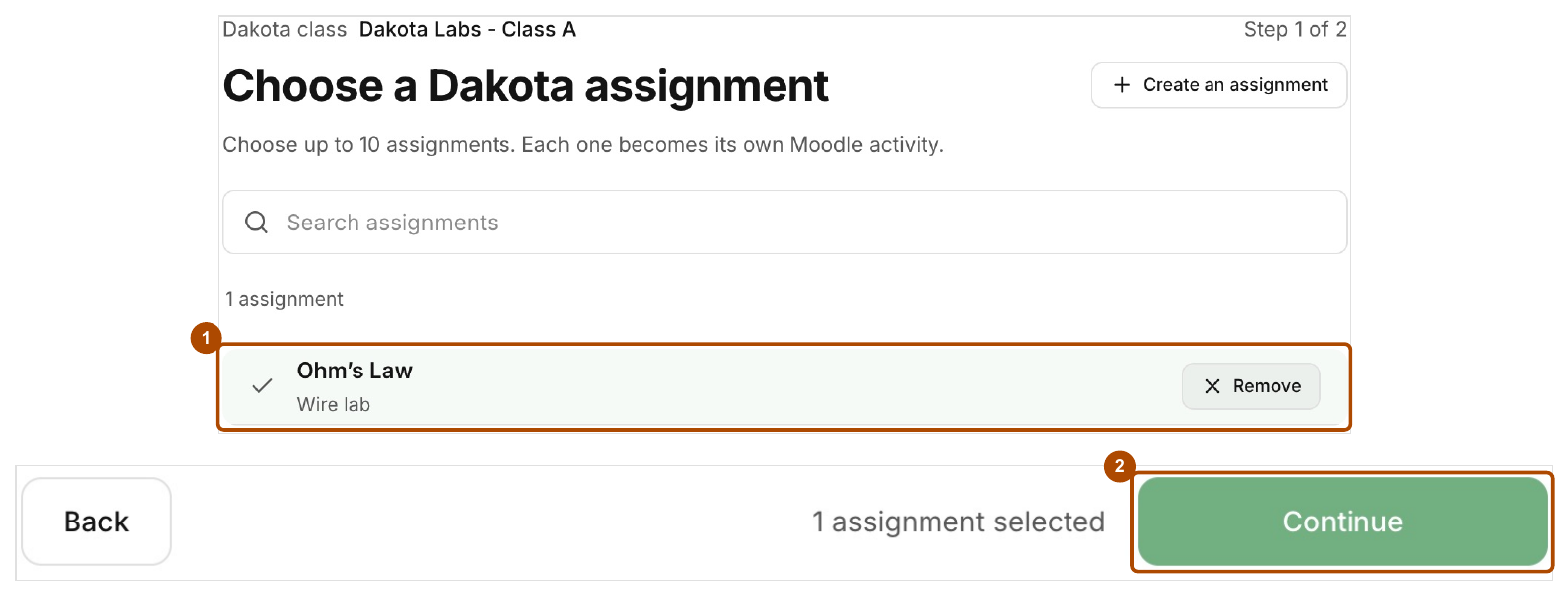
Select the assignment (1), then choose Continue (2). -
Check the Assignment title, Assignment type, Lab task and AI Tutor setting.
-
Check Opens, the optional Due date and the time zone shown.
-
Set Moodle points, the maximum for this activity. Dakota shows the conversion, for example “A 75% Dakota score becomes 30 of 40 points.”
-
Choose Review, check everything, then choose Confirm and return to Moodle.
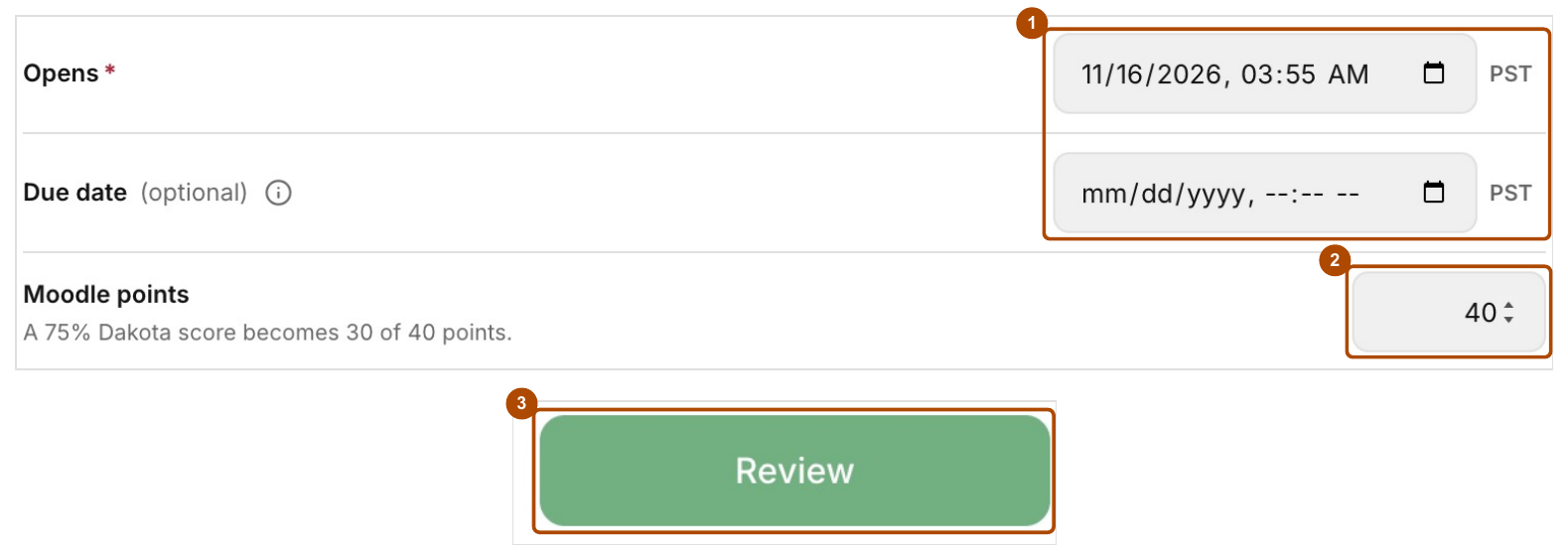
Check Opens and Due date (1), set Moodle points (2), then choose Review (3). -
Back in Moodle, check it shows Content selected and the activity name you want, then choose Save and display.
-
Open the saved activity (choose Open in new window if shown) to finish linking it.
Good to know
- Confirming in Dakota reserves the assignment, even if you then cancel in Moodle. If you cancel and can’t select it again, email support@dakotaprep.com.
- An assignment already linked to another Moodle activity can’t be linked a second time.
- The review screen may say Practice for Coursework. They’re the same thing.
- Dakota doesn’t create Moodle activities for you. You add each one in Moodle.
Common problems
- Select content does nothing. Ask your Moodle administrator to turn on Supports Deep Linking for Dakota Labs.
- The assignment you want isn’t listed. It may already be linked to another activity, or it belongs to a different class.