Grade sync decides whether Dakota sends your class’s grades to the connected Moodle course. You choose it when you connect the course, and you can change it any time.
On or Off
- On: every published assignment gets its own column in Moodle’s gradebook, and Dakota sends each student’s recorded grade to it, including grades they earned before you turned it on.
- Off: Dakota adds no columns and sends no grades. Columns and grades already in Moodle stay. Students can still open the class from Moodle.
Turning grade sync on later catches up on earlier grades. It can take a little while.
How points work
- Columns Dakota creates are out of 100 points.
- If an assignment has its own Moodle activity (see How do I link a Moodle activity to one assignment?), the grade goes to that activity’s column instead, out of the maximum you set there. For example, 75% in Dakota on a 40-point activity is 30/40.
Before a grade can arrive
All of these must be true:
- The assignment is published and assigned to the student.
- The student has opened Dakota from this Moodle course at least once. This links their Moodle and Dakota accounts.
- The student has a recorded result. Wiring or running the simulation doesn’t record a grade by itself. See How does grading work, and how do I download grades?
Change grade sync later
-
Open your Dakota class and choose Settings.
-
Find Moodle course connection.
-
Under Grade sync, choose On or Off.
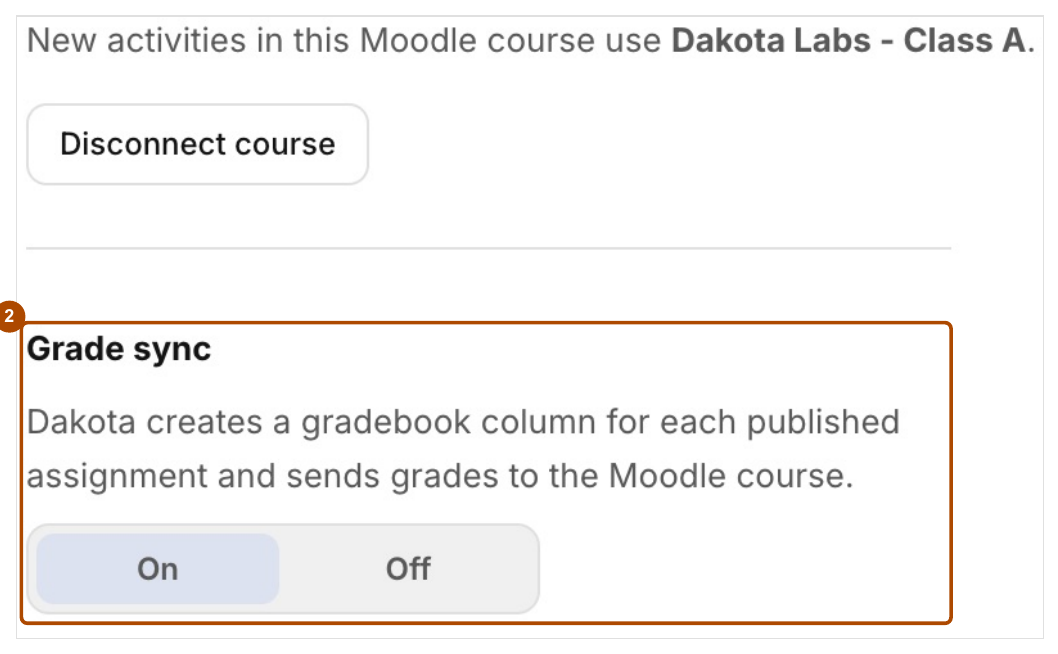
In your class Settings, choose On or Off under Grade sync (2).
Check: Your choice stays selected when you reopen Settings.
Unpublishing an assignment
- Unpublishing pauses grade updates for that assignment’s Dakota column. With grade sync on, Dakota removes its empty columns and keeps columns that already have grades.
- Publishing it again resumes updates.
- To stop all grades for the class, turn grade sync Off.
Common problems
- A grade is missing. See Why isn’t a grade showing in Moodle?
- A grade was changed in Moodle. Changes in Moodle don’t change the result in Dakota. Dakota keeps the original.
- There’s an extra Dakota Labs row with no grade. That’s the general activity students use to open the class. It’s normal.