Dakota grades work automatically. Coursework is graded when a student finishes or at the due date, and exams are graded when students submit, run out of time or reach the closing time. To get a spreadsheet, open the assignment and choose Download Grades.
When work is graded
- Coursework: when the student finishes, at the due date if you set one, or when you press Grade.
- Scheduled exam: when the student submits, or when the exam closes. A student who never started gets a zero.
- Timed exam: when the student submits or their time runs out. The due date closes it for anyone who never started.
- Anything not finished by the due date is graded at the due date, using the work saved so far.
How the score works
A student’s score reflects how many of the lab’s objectives their circuit meets. When you view their work, you see Objectives met: X of Y. On an Install lab, points also come off when the installed parts don’t match the parts list. A fault during the simulation, like a short circuit, takes 30 points off, once, however many faults there were. A score of 70% or more passes, unless the assignment has its own passing score.
Grade now
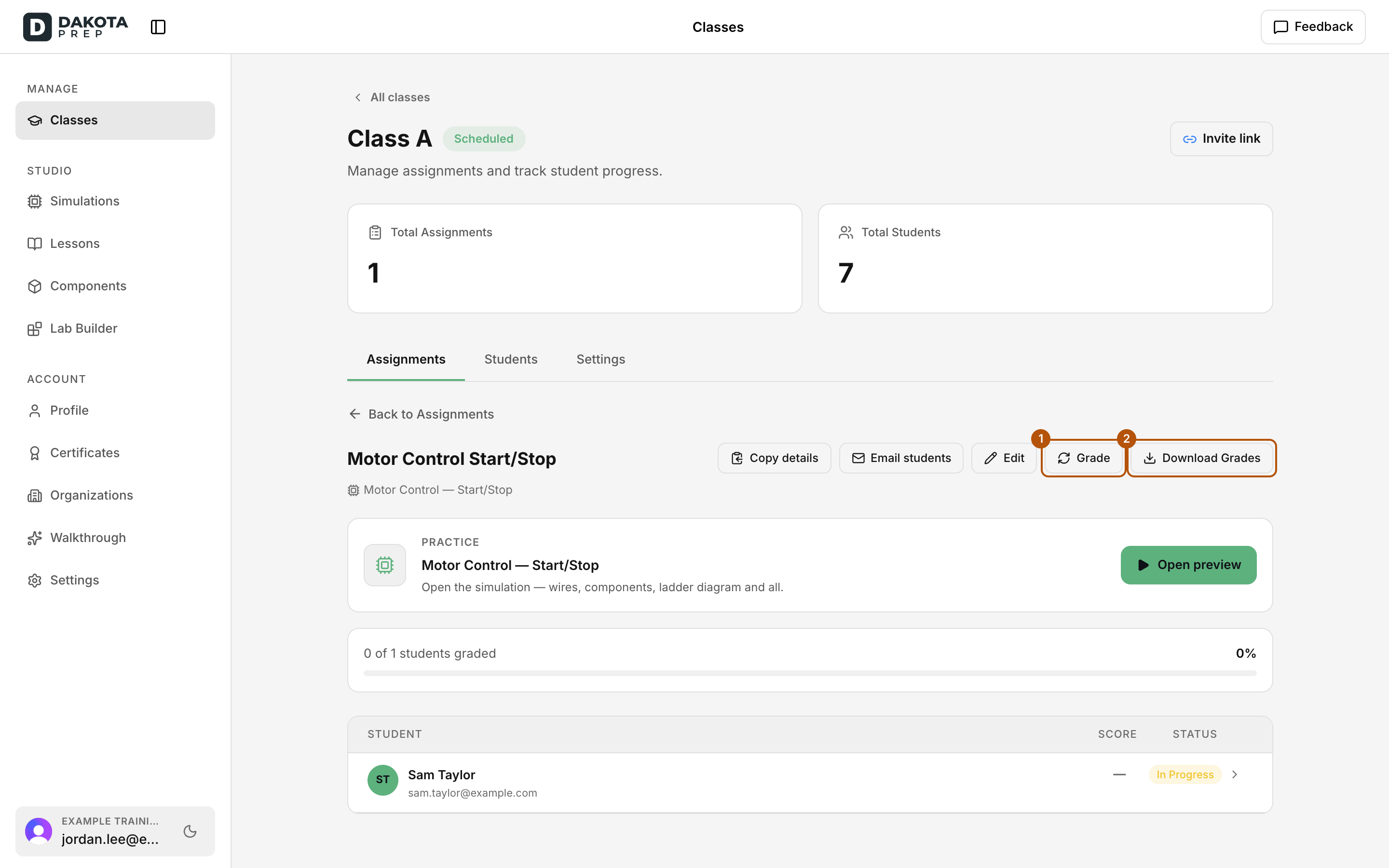
- Choose Grade at the top of the assignment to score everyone’s saved work. It doesn’t submit for them or use up an exam attempt.
- To grade one student, open their row and choose Grade now. If they haven’t started, this records a 0, and they can still start and be graded normally later.
- The line under the title, for example Graded Mar 14 · Manual, shows when and how the latest grade was made.
Download grades
- Open the assignment from the Assignments tab.
- Choose Download Grades. You get a spreadsheet (CSV) with Name, Email, Status and Score (%) for each student.
- For one student’s grades across every assignment, go to the Students tab, open the student and choose Export grades.
Check: The progress bar reads X of Y students graded, and the downloaded file lists every student on the roster.
Common problems
- A Score cell is blank. That student hasn’t been graded yet. Check their Status: Not Started, In Progress, Graded, Excused or Not assigned.
- “Nothing to grade.” Every assigned student already has a score, or nobody on the roster is assigned this work.
- Download Grades is greyed out. No students are on this assignment yet.