On the class Assignments tab, choose Create Assignment, pick a simulation and its settings, then choose Publish to send it to students now, Schedule… to publish it later, or Save for later to keep it as a draft.
Steps
-
Open the class and choose Create Assignment on the Assignments tab.
-
Enter a Title, for example “Ohm’s Law”.
-
Under Simulation, search or filter by category and pick a lab. Each lab shows a difficulty badge: Beginner, Intermediate or Advanced. If your organization has lessons, switch between Lab and Lesson above the list.
-
Choose the Lab type: Wire, Install or Debug. This appears only after you pick a lab. See Wire, Install or Debug: which should I assign?
-
Under Students, everyone is ticked to start. Untick anyone who shouldn’t get this assignment, or use Select All and Deselect All.
-
Choose the Assignment type: Coursework, Scheduled exam or Timed exam. See Coursework, Scheduled exam or Timed exam?
-
Set AI Tutor. It’s on by default, and it’s always off on exams and on Install and Debug labs.
-
Set a Due date (optional for coursework, required for exams). For a timed exam, also set a Time limit.
-
Choose how to finish:
- Publish: students can see it now.
- Schedule…: pick a Publish date and choose Schedule. Students can’t see the assignment until then.
- Save for later: saves a draft that only you can see.
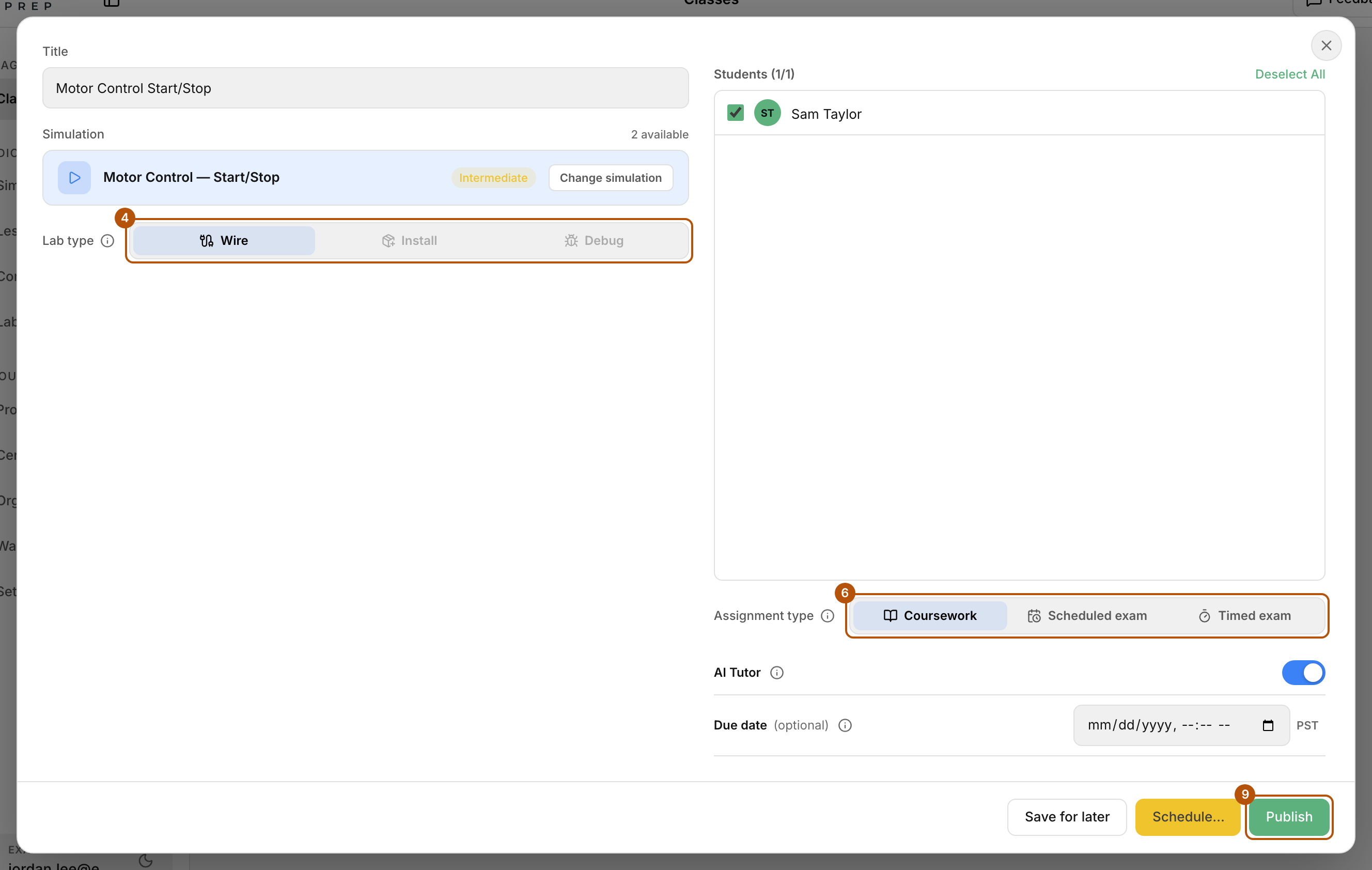
Pick a lab, then choose the lab type, the assignment type and how to finish.

Common problems
- Publish is greyed out. Add a title and pick a lab. For an exam, hover over Publish to see what’s missing (usually a due date or a time limit). Save for later stays available.
- I want to publish a draft or scheduled assignment now. Choose Publish on its card.
- I need to change something after publishing. Choose the pencil (Edit assignment) on the card, make your changes and choose Save changes. To hide it again, choose Unpublish. Students keep their work and grades, and pick up where they left off when you publish again.
- My lab isn’t in the list. Only published labs that have an answer key can be assigned. See How do I build my own lab?