A seat is one student in your organization. A student uses one seat however many of your classes they are in, and the seat frees up as soon as they no longer have a place in any of your classes.
What takes a seat
- A student who has joined at least one of your organization’s classes. The seat counts from the day they accepted the invitation, not the day you sent it.
- A student who is a member of the organization itself (shown as Org member in the Seats table).
What does not take a seat
- Instructors and managers.
- Students you have invited who have not joined yet.
- Candidates taking a Screening.
Steps
-
In the left sidebar, click Organizations.
-
On your organization’s card, click Manage.
-
Open the Usage tab.
-
Read the Licensed seats chip at the top, then the Seats card under Meters.

Licensed seats is at the top of the Usage tab. 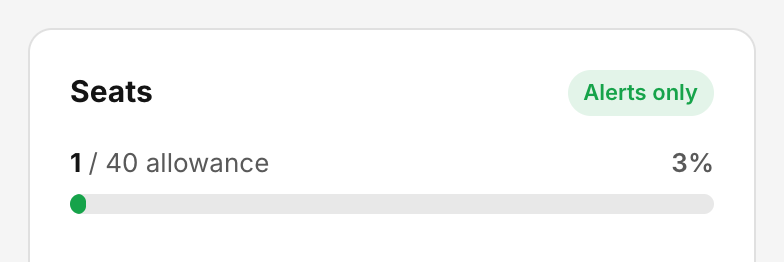
The Seats card shows how many students hold a seat right now. -
Scroll to the Seats table to see who holds each seat. The columns are Since, Held via, Student, Classes and Detail. Held via shows Org member or Class only.
-
To narrow the list, use the filter (All seats, Org members, Class enrollment only) or search by Student, email, or class.

The Seats table lists everyone holding a seat. Filter it or search by student, email or class.
Check: The number on the Seats card matches the number of students in the Seats table.
What happens when a student is removed
- If you remove a student from a class with Remove from class, they move to the class’s Removed list and their past work is kept. Their seat frees up right away, unless they are still in another of your classes.
- If your organization has a Students tab, Revoke removes the student from the organization and from every one of its classes, and frees their seat. Their progress is kept.
Common problems
- A student in three classes shows once. That is expected: one student, one seat.
- The table shows only part of the list. Large organizations see the list one page at a time. The total on the card is still exact, but the filters only search the page you are looking at.
- I removed a student but the seat is still taken. They are probably still in another of your classes. Search for their name in the Seats table and check the Classes column.